---
title: "Per-page OG images on an Astro site, without the SaaS"
description: "How we gave every page on dacforge.com its own Open Graph image, generated at build time, with no third-party service. One Astro endpoint, one PNG per page."
canonical: https://dacforge.com/blog/per-page-og-images-astro/
date: 2026-04-18T00:00:00.000Z
tags: ["astro", "open-graph", "seo", "self-hosted"]
---
Every page on dacforge.com now has its own Open Graph image. The services hub has one image. Each of the ten service pages has its own. Each blog post has its own. The about page, the privacy page, and every other public URL on the site has a distinct card that shows up when someone pastes the link into LinkedIn, X, Mastodon, or Slack.
There is no Cloudinary account. No Vercel OG. No external image service. The whole thing runs at `astro build`, writes PNGs into `dist/og/`, and that is the last anyone thinks about it until a new page is added, at which point it just works.
Here is what the setup looks like and why it ended up smaller and more satisfying than any of the SaaS options we considered first.
## Why per-page OG matters at all
If you do not care about the card that appears when someone shares your page in a messaging app or on social, you can skip this paragraph. If you do, consider what the alternative looks like. A single `og-image.png` at the root of your site means every URL you share shows the same card. The services page and the about page and the twelfth blog post all look identical. Anyone seeing three of your links in a feed immediately reads the repetition as "this person has a low bar for the surface of their work." Fixing it is the single biggest polish pass you can do on a static site in an afternoon.
The usual answer is one of three things: hand-design a PNG per page and remember to regenerate it every time the page changes, reach for Cloudinary's dynamic image transformations, or reach for Vercel OG. The first does not scale. The other two work, and they also add a third-party dependency that we are not sure we need for something this simple.
## Four cards from the generator
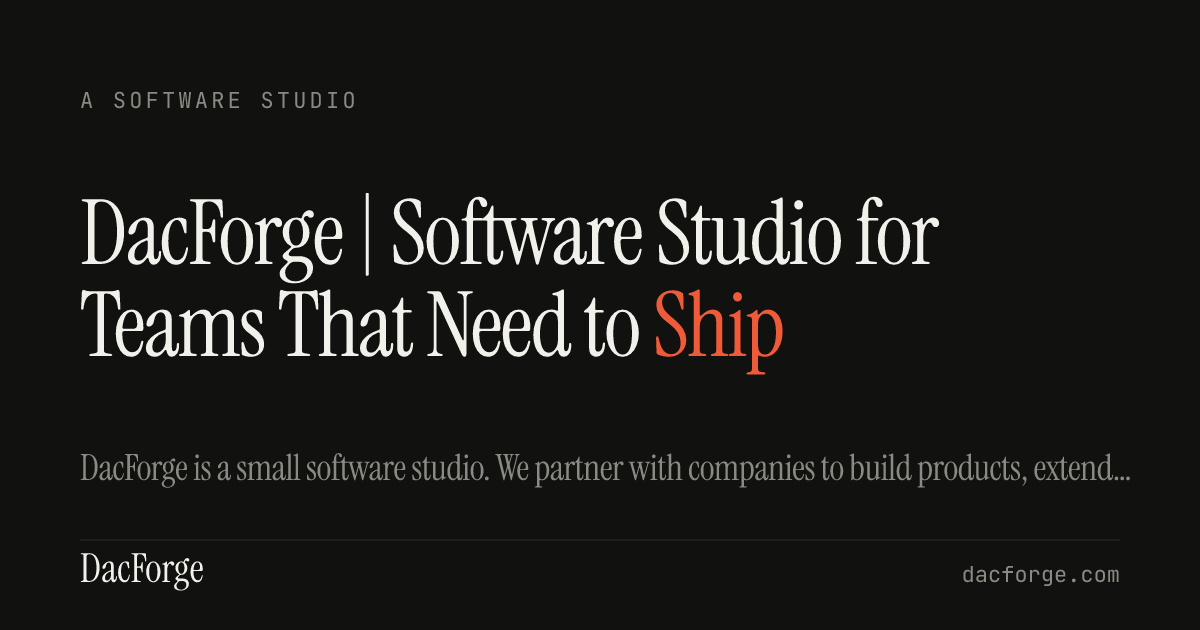
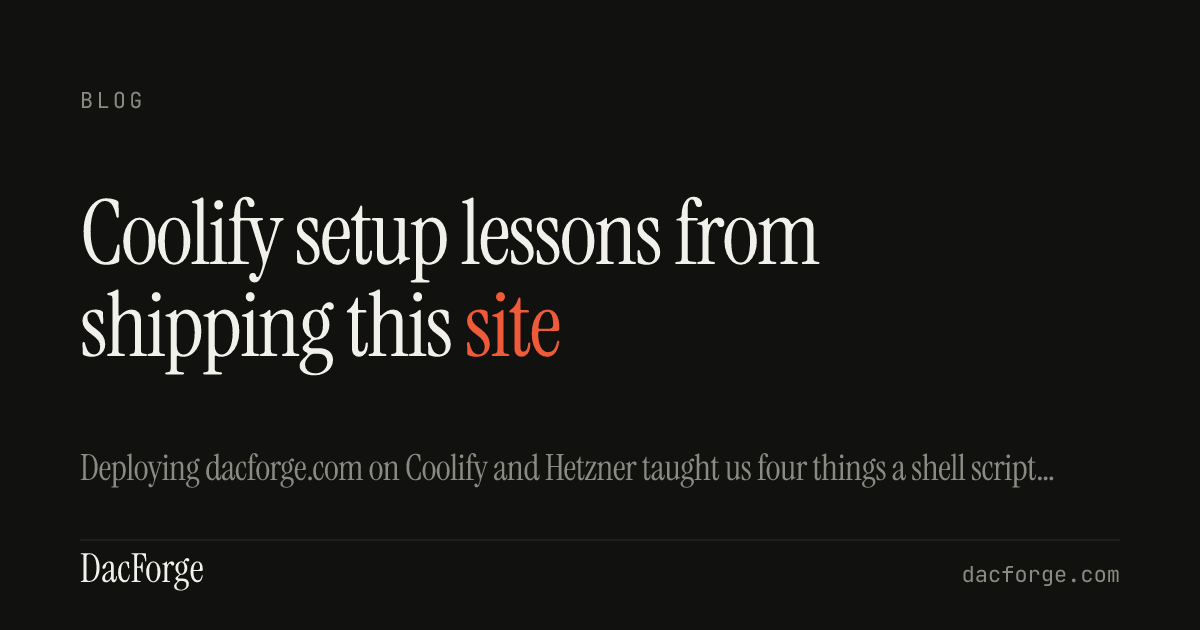
Here are four of the cards the system produced on this site. Same template across all of them; each pulls its title, description, and eyebrow from the content collection the page belongs to.
Homepage · A SOFTWARE STUDIO eyebrowCoolify Setup Consultant · TOOLING & AUTOMATION eyebrow · short title, one word per lineCustom Software Consultancy · BUILD eyebrow · longer title, two-line wrap, smaller typeCoolify setup lessons · BLOG eyebrow · blog post card
The eyebrow changes by section. The type size scales with the title length. The last word of the title gets rendered in the brand's vermillion accent (`#ef5a38`) on every card. None of this requires per-page configuration: the logic sits entirely in the renderer, and it reads from the site's existing content collection entries.
## The build-time approach
DacForge is a studio that spends a lot of time arguing for self-hosted infrastructure for small teams. Pulling in a SaaS to draw the equivalent of a page title on a rectangle would be slightly embarrassing. The constraints we set were straightforward:
- Generate every OG image at `astro build` time, not at runtime
- No network call during the build
- Fonts bundled in the repository so output is identical on any build host
- One shared editorial template, so adding a new page requires no per-page manual work
- Small enough in code size that it does not need a dedicated maintainer
[Astro](https://astro.build) already supports dynamic endpoints that return binary responses. The Astro ecosystem also ships [`@resvg/resvg-js`](https://github.com/yisibl/resvg-js), a native rasteriser for SVG-to-PNG. Between those two things, every piece we need is already in the toolbox.
## The endpoint
The whole system fits into one dynamic Astro endpoint. It lives at `src/pages/og/[...path].png.ts`. Its job is to enumerate every page that should have an OG image, then render one PNG per page at build time.
```ts
import type { APIRoute, GetStaticPaths } from 'astro';
import { getCollection } from 'astro:content';
import { renderOgPng } from '../../lib/og-image';
export const getStaticPaths: GetStaticPaths = async () => {
const llm = await getCollection('llm');
const posts = await getCollection('posts', ({ data }) => !data.draft);
return [
...llm.map((entry) => ({
params: { path: entry.data.path === '/' ? 'home' : entry.data.path.replace(/^\/|\/$/g, '') },
props: {
title: entry.data.title,
description: entry.data.description,
section: entry.data.section,
},
})),
...posts.map((post) => ({
params: { path: `blog/${post.id}` },
props: {
title: post.data.title,
description: post.data.description,
section: 'Blog',
},
})),
];
};
export const GET: APIRoute = ({ props }) => {
const png = renderOgPng(props as { title: string; description: string; section?: string });
return new Response(png, {
headers: { 'content-type': 'image/png', 'cache-control': 'public, max-age=3600' },
});
};
```
Astro's `getStaticPaths` runs at build time. Each returned entry becomes a route. Each route writes a PNG into `dist/og/{slug}.png`. The browser never sees a template, an SVG, or a missing font. It gets a static image file from nginx, same as any other public asset.
The list of URLs is pulled from the existing content collections. Our `llm` collection holds the markdown mirrors of every public HTML page (a separate LLM-accessibility feature we already ship). Blog posts live in a separate `posts` collection. Together they cover every URL that should have a card.
## The template
The rendering helper sits in `src/lib/og-image.ts` and has exactly one responsibility: given a page's title, description, and section, produce a PNG. The shape of the design is identical to the rest of the DacForge surface: a dark background, Instrument Serif for the display title with the last word in vermillion, JetBrains Mono for the eyebrow, a thin rule at the footer, the brand wordmark and URL anchored at the bottom corners. Nothing on the card is decorative; every element has a job.
Two things deserve a mention.
First, fonts are bundled in the repository and passed to `@resvg/resvg-js` via `fontFiles`. That makes the output font-independent. Whatever the build host has installed system-wide is ignored. This matters the first time you try to debug an OG image that looks different on your laptop versus in CI and realise that DejaVu Serif was quietly filling in where Instrument Serif should have been. With fonts pinned to the repo, the card is deterministic.
Second, the template picks a font size based on the title's length. Short titles (`Coolify Setup Consultant`) render at 140pt on one line. Longer titles (`Custom Software Consultancy for Small Business`) step down to 110pt and wrap to two. The longest edge cases step down again. The card never blows out its frame, never crunches against the footer rule, and the typography stays at visible weight at all thumbnail sizes.
The last word of the title gets rendered in the brand's vermillion accent (`#ef5a38`). This is the same move the DacForge homepage makes with the word `software` in the `We build software` tagline. Reusing that one design primitive makes every OG card on the site feel like it belongs to the same family without any per-page design effort.
## Hooking it into the layout
The final piece is a one-line change in `Base.astro`, the shared layout for every page. Instead of hardcoding `/og-image.png` as the default meta image, the layout derives the per-page URL from the current pathname:
```ts
import { pathToOgSlug } from '../lib/og-image';
const derivedOgPath = `/og/${pathToOgSlug(Astro.url.pathname)}.png`;
const ogImageURL = new URL(ogImage ?? derivedOgPath, Astro.site).toString();
```
`pathToOgSlug` is five lines of string manipulation: strip leading and trailing slashes, treat the root as `home`, return everything else as-is. If a page passes an explicit `ogImage` prop, that wins. Otherwise the derivation takes over.
## Tradeoffs
This is not the best approach for every site. A few honest caveats:
1. **One template.** We do not have per-page custom art. If your site needs genuinely hand-crafted imagery on each card, you will hit the limit of the shared design quickly. For a studio site that values consistency over expressive variation, that is a feature. For a magazine or a gallery, it is not.
2. **Build time adds up.** Rendering 18 PNGs at build takes about a second on this site. At several hundred pages the cost starts to matter. If you are shipping a large content site, caching at the build layer (or rendering only the pages that changed since the last build) is worth setting up.
3. **Fonts in the repo.** Instrument Serif, Inter, and JetBrains Mono live under `scripts/fonts/` in the dacforge.com repo. That is a modest size increase (a few hundred KB) that we already accepted when we built the original static OG generator. If your site does not already bundle fonts, this is new surface area for you.
4. **No runtime regeneration.** Change a page title, you rebuild. For a static Astro site deployed through a normal CI flow, this is what happens anyway. For a CMS-driven setup where content changes without a rebuild, a runtime endpoint is a better shape.
## Why not SaaS
Cloudinary and Vercel OG both work. For this one, the argument against them comes down to scope: we are drawing a page title on a rectangle. Adding a third-party dependency, an API key, a quota, and a new surface to monitor for a job that a short TypeScript file and a bundled font can handle is a mismatch. The self-hosted route also matches DacForge's general stance toward small teams: fewer moving parts, documented on your own disk, operable without calling someone else.
None of this is an argument against using a SaaS when it genuinely saves work. It is an argument for checking whether you actually need one before signing up.
## Related
If you are building on Astro and want the same shape, the source for this setup lives in the dacforge.com repository. The two files that matter are `src/pages/og/[...path].png.ts` and `src/lib/og-image.ts`. The rest is taste.
If you are running into self-hosted infrastructure questions more broadly, we offer a [Coolify setup consultant](/services/coolify-setup-consultant/) engagement for teams that want production Coolify deployed properly, and a [DevOps consultant for small business](/services/devops-consultant-for-small-business/) engagement for the broader infra picture.
Or email hello@dacforge.com if you want to talk about shipping something together.